Reviewed October 3, 2026. Looking for the best SEO report software for client dashboards, scheduled PDFs, and white-label portals? This page compares reporting platforms. For general SEO suites that happen to include reports, stay on the reporting criteria below instead of bouncing to a broad tools list.
SEO reporting tools are useful because SEO performance rarely depends on one metric. Rankings, clicks, conversions, crawl issues, technical fixes, backlinks, content updates, and competitor movement all tell part of the story. A strong reporting setup helps you organize those metrics, spot trends, and explain what is improving, what needs attention, and what to do next.
If you are new to the topic, start with this guide on what SEO reporting is. You can also use a structured SEO reporting template or the SEO client report template to decide which metrics and narrative matter most before choosing software. Before you send a branded PDF, run the white-label SEO reporting checklist.
BoostPlanner is reader-supported. If you make a purchase through a link on this site, I may earn an affiliate commission.
Top SEO Reporting Software Overview
Here is a quick overview of the best SEO reporting tools covered in this guide:
- SE Ranking: Best value SEO reporting software
- Semrush: Best premium SEO reporting platform
- SEO PowerSuite: Best desktop-based SEO reporting software
- Nightwatch: Best dedicated rank tracking report tool
- Google Analytics: Best free website traffic reporting tool
- Google Search Console: Best free Google search visibility tool
- Looker Studio: Best free dashboard and report builder
- DashThis: Best automated marketing dashboard software
- Databox: Best KPI dashboard platform
- Supermetrics: Best data connector for custom reports
- Raven Tools: Best SEM reporting software for mixed SEO and PPC reports
- Mangools: Best beginner-friendly SEO reporting toolkit
- Ahrefs: Best competitor and backlink reporting tool
- AgencyAnalytics: Best SEO reporting suite for agencies
- Moz Pro: Best established SEO reporting software for trusted SEO metrics
Learn more about each SEO reporting tool’s features and ideal use cases in the sections below.
What to Look for in SEO Reporting Software
The best SEO reporting software depends on what you need to report, who needs to see it, and how much automation you want.
For a small business, a simple setup with Google Search Console, Google Analytics, and Looker Studio may be enough. For an agency, branded reports, scheduled delivery, rank tracking, client dashboards, and white-label options may matter more.
When comparing tools, pay attention to:
- Report types: Keyword rankings, traffic, conversions, site audits, backlinks, competitors, local SEO, and technical SEO.
- Automation: Scheduled weekly or monthly reports can save time and keep updates consistent.
- White-label reporting: Agencies may need branded dashboards, custom domains, and client-facing templates.
- Data freshness: Some tools update rankings daily, while Google tools can have reporting delays.
- Integrations: Look for connections with Google Analytics, Google Search Console, Google Ads, Looker Studio, call tracking tools, CRM platforms, and paid SEO tools.
- Export options: PDF, CSV, Google Sheets, Excel, HTML, and shareable dashboard links are all useful in different workflows.
- AI search visibility: In 2026, some platforms now track visibility in AI Overviews, ChatGPT, Perplexity, Gemini, or similar AI search experiences.
- Pricing structure: Some tools charge by keywords, projects, users, dashboards, data sources, or add-ons.
Before choosing a tool, it helps to clarify your SEO metrics and how they connect to your broader SEO strategy.
Best SEO Reporting Software Tools for 2026
Based on testing and in-depth reviews, here are 15 of the best SEO reporting tools for analyzing and sharing SEO campaign performance in 2026:
1. SE Ranking
Best for: Affordable all-in-one SEO reporting

SE Ranking is one of the best-value SEO reporting tools for freelancers, small businesses, and agencies that want rank tracking, website audits, backlink monitoring, competitor research, and automated reports in one platform.
It is especially useful if you want strong reporting features without paying premium enterprise pricing.
Reporting Features
SE Ranking includes a customizable report builder with templates, scheduled reports, and manual reports. White-label / client-facing branding typically comes through the Agency Pack (or other eligible agency options – confirm on the current plan sheet). Core and Growth both list Looker Studio integration for dashboard-style reporting. You can report on keyword rankings, technical site health, on-page SEO, competitor data, backlinks, and project progress.
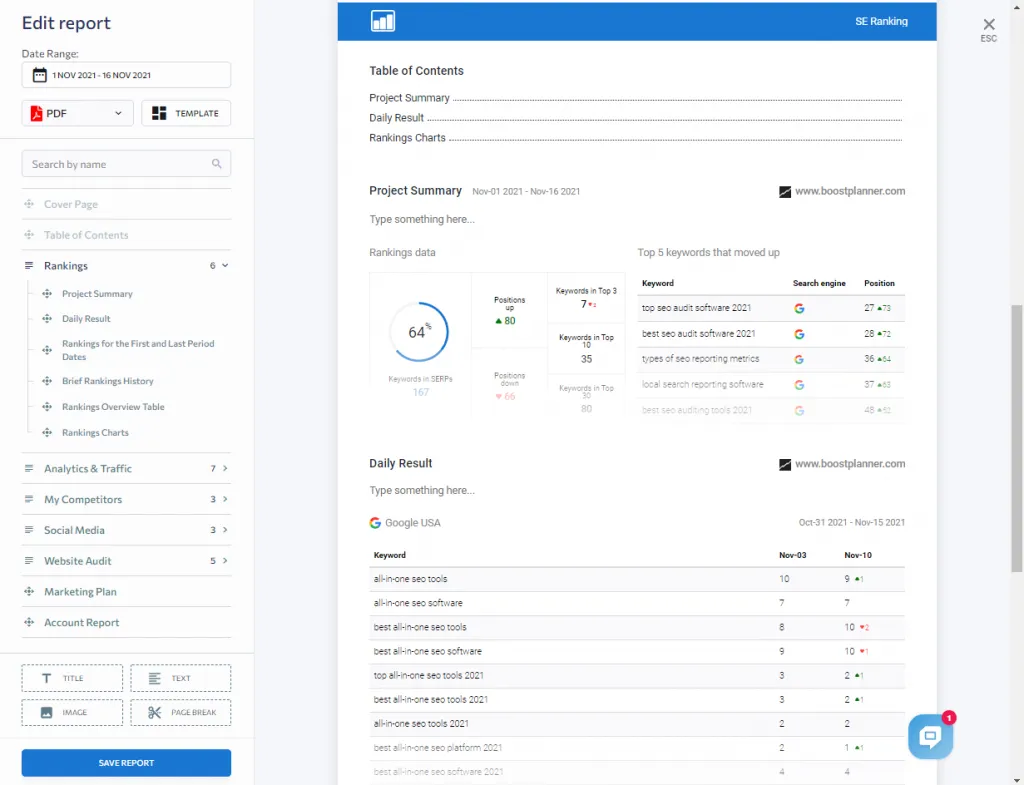
Useful reporting features include:
- Automated SEO reports
- Keyword ranking reports
- Website audit reports
- Backlink monitoring reports
- Competitor performance insights
- PDF, Excel, and HTML exports
- Client-friendly scheduled reporting
- White-label reporting options
- AI visibility / AI Overviews tracking options (plan or AI Search add-on – confirm current packaging)
SE Ranking is also a strong fit if you want one platform that can support rank tracking, audits, and backlink reporting together. For a deeper breakdown, see this SE Ranking review and this guide to SE Ranking pricing.
Why Choose SE Ranking?
Choose SE Ranking if you want solid scheduled reporting without jumping straight to a premium suite. We use it for client reporting and for BoostPlanner – mainly the report builder, with Looker Studio when we need custom dashboards. If you need white-label client portals, check the Agency Pack pricing separately. A practical next step is to run one real report in the free trial before you subscribe.
You can also compare it directly against Semrush in this SE Ranking vs Semrush guide.
2. Semrush
Best for: Premium SEO and marketing reporting
Semrush is a comprehensive digital marketing platform with strong reporting features for SEO, PPC, content, competitive research, and broader visibility tracking.
It is one of the most complete options for teams that need detailed keyword data, competitor insights, site audits, backlink metrics, and custom reports in one place.
Reporting Features
Semrush includes a report builder that lets you create scheduled, customizable reports for SEO, content marketing, competitor analysis, PPC, and more.
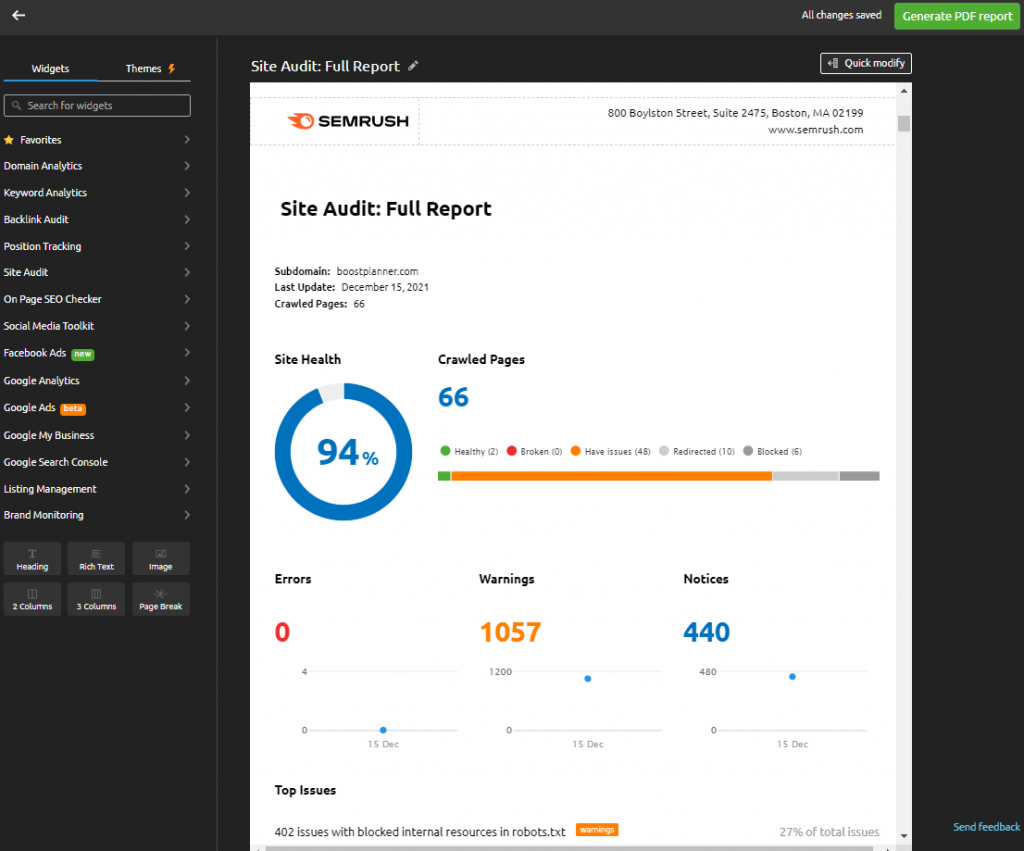
Reporting features include:
- Keyword ranking reports
- Organic traffic and visibility reports
- Competitor research reports
- Site audit reports
- Backlink reports
- Content performance reports
- PDF exports
- Scheduled email reports
- Google Analytics and Google Search Console integrations
- Looker Studio integration on eligible plans
- White-label reporting through agency-focused add-ons
Semrush is also expanding around AI and brand visibility, which makes it relevant for teams tracking both traditional organic search and newer AI search experiences.
For a more detailed breakdown, see this Semrush review and this guide to Semrush pricing.
Why Choose Semrush?
Choose Semrush if you need a broad, premium SEO platform with deep data across keyword research, competitor analysis, technical SEO, content optimization, and reporting. It is often more expensive than simpler tools, but it can replace several smaller tools for teams that use its full feature set.
3. SEO PowerSuite
Best for: Desktop-based SEO reporting
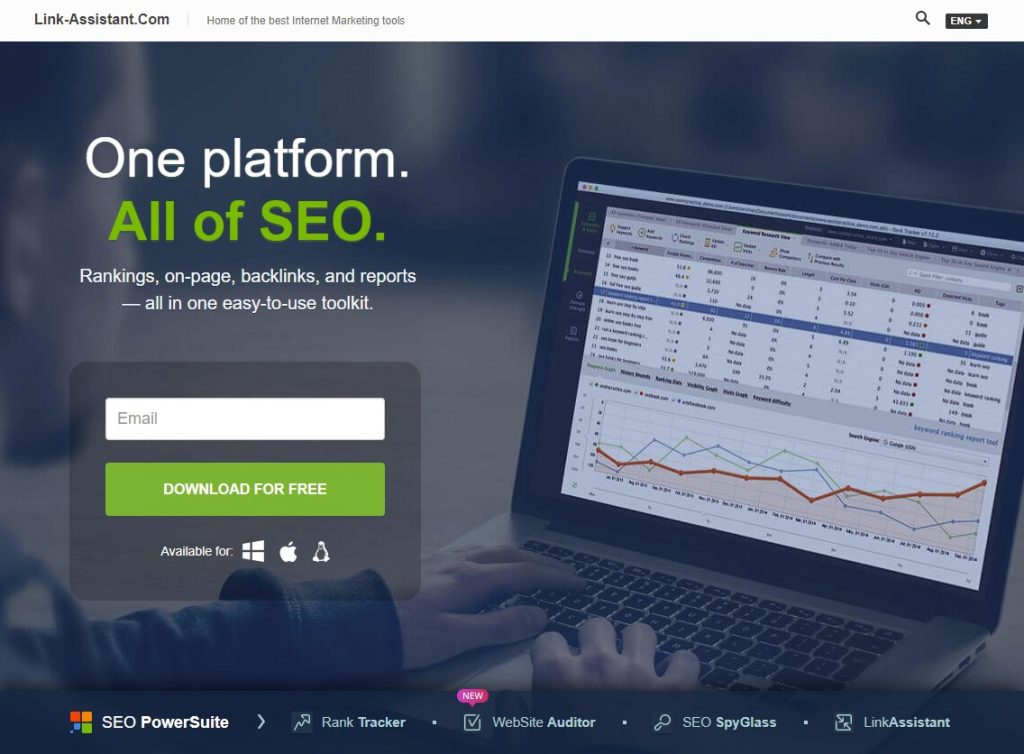
SEO PowerSuite is a desktop SEO software suite that includes Rank Tracker, WebSite Auditor, SEO SpyGlass, and LinkAssistant. It is different from most cloud-based SEO reporting platforms because the software runs on your computer.
Reporting Features
SEO PowerSuite can create reports for keyword rankings, technical audits, backlink analysis, and link-building campaigns.
Reporting features include:
- Keyword rank tracking reports
- Website audit reports
- Backlink analysis reports
- Link-building reports
- Customizable report templates
- PDF and HTML reports on eligible plans
- White-label reporting on agency-level plans
- Scheduled report delivery on eligible plans
- Google AI Overviews tracking
SEO PowerSuite can be a cost-effective option for users who want fewer cloud-based limits on keywords, projects, or crawls. However, because it is desktop software, it may require more setup and maintenance than web-based tools.
Why Choose SEO PowerSuite?
Choose SEO PowerSuite if you want a downloadable SEO toolkit with strong reporting flexibility and you are comfortable using desktop software. It can be especially useful for agencies or consultants managing many keywords and projects.
4. Nightwatch
Best for: Rank tracking and local SEO reporting
Nightwatch is a dedicated rank tracking and SEO reporting platform. It is especially useful for tracking keyword rankings across specific locations, devices, and search engines.
Reporting Features
Nightwatch focuses heavily on accurate rank tracking and segmentation. This makes it useful for local SEO campaigns, multi-location businesses, and agencies that need detailed ranking reports.
Reporting features include:
- Daily keyword rank tracking
- Local rank tracking by city, state, region, or ZIP code
- Google Search, Google Maps, Bing, YouTube, Yahoo, and DuckDuckGo tracking
- White-label ranking reports
- Automated report scheduling
- Google Analytics and Google Search Console integrations
- Looker Studio integration
- Site audit reporting
- AI tracking add-on for generative search visibility
If rank tracking is your main reporting need, Nightwatch may be a better fit than a broader all-in-one platform.
Why Choose Nightwatch?
Choose Nightwatch if you care most about rank tracking accuracy, local search visibility, and clean ranking reports. It is a strong option for local SEO, franchise SEO, and agency reporting.
For more rank tracking options, see this guide to the best rank tracking software.
5. Google Analytics
Best for: Free website traffic reporting
Google Analytics is one of the most important free tools for SEO reporting because it helps you understand what users do after they arrive on your website.
While Google Search Console shows how people find your site in Google Search, Google Analytics helps report on traffic behavior, engagement, conversions, and acquisition channels.
Reporting Features
Google Analytics can help you report on:
- Organic traffic
- Landing pages
- User engagement
- Events
- Conversions
- Traffic sources
- Audience behavior
- Device data
- Geographic data
- Content performance
Google Analytics is not a dedicated SEO reporting tool, so it does not replace rank tracking software. However, it is essential for understanding whether organic traffic is leading to meaningful activity on the site.
Why Choose Google Analytics?
Use Google Analytics if you want free, direct website traffic data. It works best when paired with Google Search Console and Looker Studio for a more complete SEO reporting setup.
6. Google Search Console
Best for: Free Google search performance reporting
Google Search Console is a free tool from Google that helps you monitor your site’s visibility in Google Search.
It is one of the most important tools for SEO reporting because it shows the queries, pages, clicks, impressions, click-through rates, and average positions connected to your organic search presence.
Reporting Features
While GSC is not required for indexing your site on Google, it provides valuable insights into how Google views and ranks your pages. Key features include:
- Search clicks
- Search impressions
- Average position
- Click-through rate
- Query performance
- Page performance
- Indexing status
- Crawl and indexing issues
- Core Web Vitals
- Internal and external links
- Search appearance data
It is also useful for identifying content opportunities. For example, you can find pages with high impressions but low click-through rates, then improve title tags, meta descriptions, or on-page content.
Limitations
Google Search Console is not a full rank tracker. It does not always show every keyword, and its average position data is different from daily keyword rank tracking. Data can also be delayed, so it is not ideal for same-day reporting.
Why Choose Google Search Console?
Use Google Search Console because it provides direct search performance data from Google. For most SEO reports, it should be part of the foundation.
7. Looker Studio
Best for: Free SEO dashboards and custom reports
Looker Studio is a free dashboard and reporting tool that can connect data from Google Search Console, Google Analytics, Google Ads, Google Sheets, and many other sources.
It is one of the best free options for creating custom SEO dashboards.
Reporting Features
Looker Studio lets you build visual reports with tables, scorecards, charts, filters, and date range controls.
Reporting features include:
- Google Search Console dashboards
- Google Analytics dashboards
- Google Ads dashboards
- Blended data sources
- Shareable report links
- Scheduled email delivery
- Interactive filters
- Custom charts and tables
- Report templates
- Third-party connectors
Looker Studio is especially useful if you want a free automatic SEO report that pulls data from Google Search Console and Google Analytics.
Why Choose Looker Studio?
Choose Looker Studio if you want flexible, low-cost SEO dashboards. It is ideal for teams that are comfortable setting up their own reporting structure or starting from templates.
For a faster starting point, use a structured SEO reporting template before building your dashboard.
8. DashThis
Best for: Automated marketing dashboards
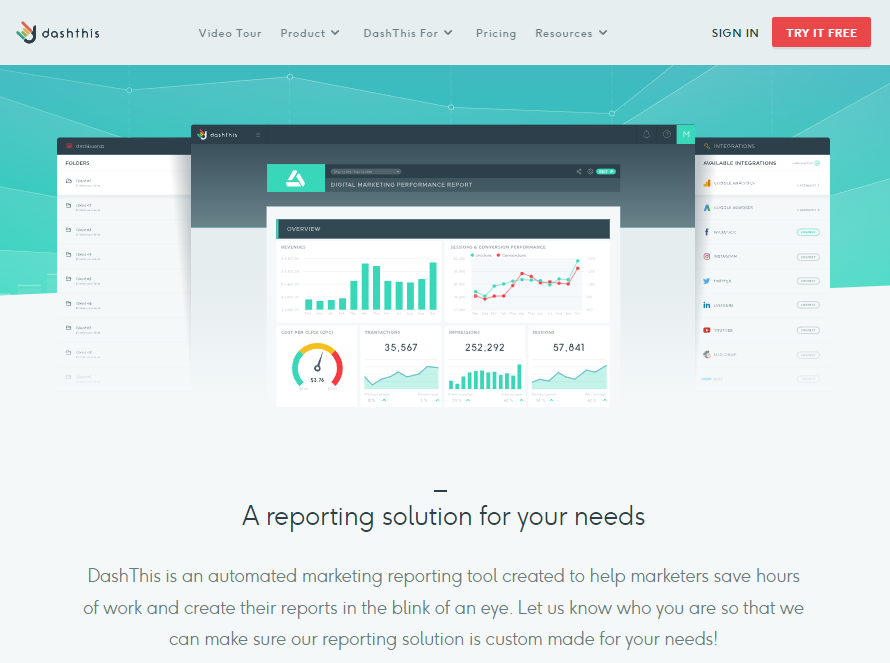
DashThis is a dashboard reporting tool designed for agencies and marketers who want to combine SEO, PPC, social media, email, call tracking, and other marketing data in one place.
Reporting Features
DashThis includes prebuilt templates, customizable widgets, automated reports, and shareable dashboards.
Reporting features include:
- SEO dashboards
- PPC dashboards
- Social media dashboards
- Google Analytics integrations
- Google Search Console integrations
- Google Business Profile integrations
- Semrush, Moz, Ahrefs, and Majestic integrations
- PDF reports
- Shareable URLs
- Scheduled email reports
- White-label dashboard options
DashThis is useful when SEO reporting needs to be combined with paid ads, social media, or broader digital marketing performance.
Why Choose DashThis?
Choose DashThis if you want visually clean, automated marketing dashboards without manually building everything in Looker Studio.
9. Databox
Best for: KPI dashboards across SEO, sales, and marketing
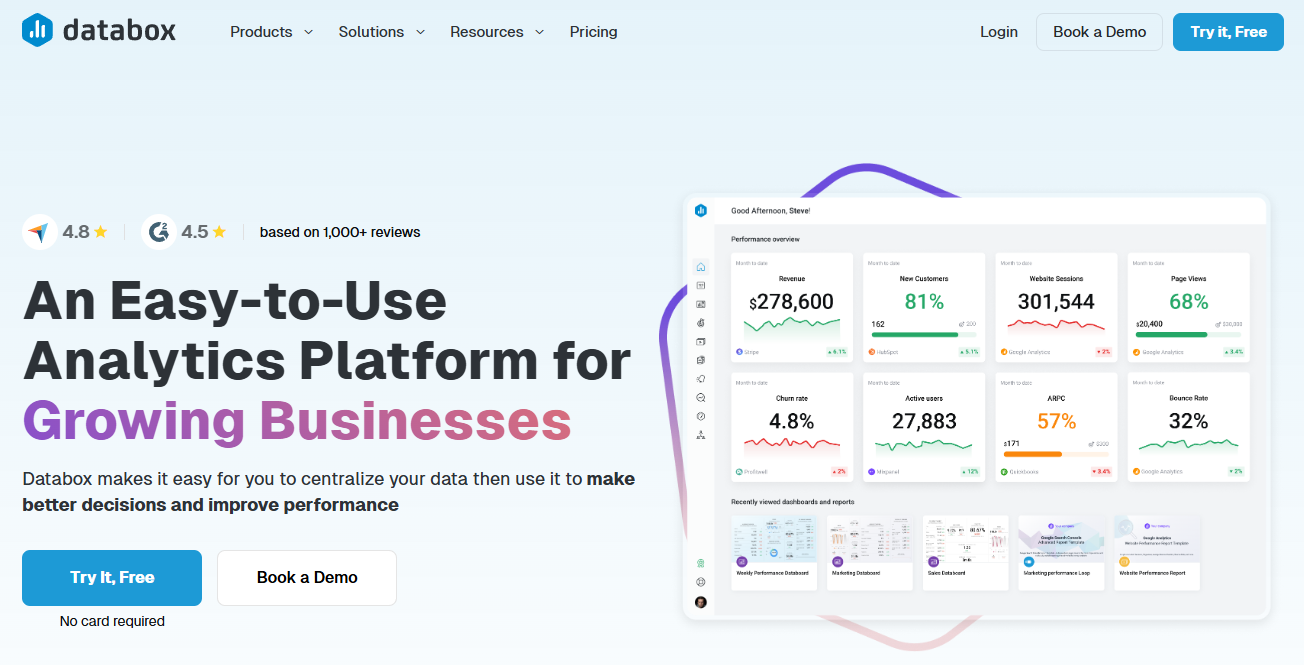
Databox is a KPI dashboard platform that helps teams combine data from many different sources into visual dashboards.
It is not only an SEO reporting tool, but it works well for teams that need SEO metrics alongside sales, CRM, paid media, and business performance data.
Reporting Features
Databox can help report on:
- SEO performance
- Organic traffic
- Goal and conversion data
- Paid media metrics
- Sales and CRM data
- Ecommerce metrics
- Social media performance
- Custom KPIs
- Alerts and scorecards
- Executive dashboards
Databox integrates with many popular tools, including Google Analytics, Google Search Console, HubSpot, Google Ads, Microsoft Ads, Shopify, Ahrefs, Moz, Semrush, and more.
Why Choose Databox?
Choose Databox if SEO is one part of a larger performance reporting workflow. It is especially useful for teams that want executive-friendly dashboards rather than detailed SEO-only reports.
10. Supermetrics
Best for: Pulling SEO and marketing data into custom reports

Supermetrics is not a traditional SEO reporting platform. Instead, it is a data connector that helps you pull marketing data into tools like Looker Studio, Google Sheets, Excel, Power BI, and data warehouses.
Reporting Features
Supermetrics is useful when you want to build your own reporting system but need reliable data connections.
- Google Analytics
- Google Search Console
- Google Ads
- Microsoft Ads
- Facebook Ads
- YouTube
- HubSpot
- Shopify
- Ahrefs
- Moz
- BigQuery
- Snowflake
- Google Sheets
- Looker Studio
Supermetrics is especially helpful for agencies and larger marketing teams that need to centralize data from multiple platforms.
Why Choose Supermetrics?
Choose Supermetrics if you already know where you want to build your reports, but you need a better way to pull and refresh the data.
11. Raven Tools
Best for: SEO and SEM reporting
Raven Tools is a reporting-focused SEO and SEM platform that combines rank tracking, audits, backlink research, competitor insights, and marketing integrations.
Reporting Features
Raven Tools includes a drag-and-drop report builder and integrations with platforms like Google Analytics, Google Search Console, Google Ads, Microsoft Advertising, Facebook Ads, LinkedIn, Mailchimp, YouTube, and CallRail.
Reporting features include:
- SEO reports
- PPC reports
- Rank tracking reports
- Website audit reports
- Backlink reports
- Competitor reports
- White-label reporting
- Scheduled reports
- PDF and HTML report options
Why Choose Raven Tools?
Choose Raven Tools if you want a reporting-focused platform that can combine SEO and paid media data. It can be a good fit for agencies that need simple, repeatable client reports.
12. Mangools
Best for: Beginner-friendly SEO reporting
Mangools is a simple SEO toolkit that includes KWFinder, SERPChecker, SERPWatcher, LinkMiner, and SiteProfiler.
It is not as advanced as Semrush, Ahrefs, or SE Ranking, but it is easier to use and more approachable for beginners.
Reporting Features
Mangools can help with:
- Keyword research
- SERP analysis
- Rank tracking
- Basic backlink analysis
- Domain profile reports
- CSV exports
- Simple scheduled ranking reports
- Shareable rank tracking reports
SERPWatcher is the main reporting tool inside Mangools. It can create simple keyword tracking reports that are easy to understand.
Why Choose Mangools?
Choose Mangools if you want simple SEO tools with lightweight reporting and a beginner-friendly interface. It is a good fit for bloggers, small businesses, and newer SEO users.
For more keyword-focused options, see this guide to the best keyword research software.
13. Ahrefs
Best for: Competitor, backlink, and content reporting
Ahrefs is one of the strongest SEO platforms for backlink analysis, competitor research, keyword research, content research, and site audits.
It is not always the best choice for polished client-facing report building, but it is excellent for research-heavy SEO reporting.
Reporting Features
Ahrefs includes tools for:
- Competitor analysis
- Backlink reports
- Referring domain reports
- Organic keyword reports
- Content gap analysis
- Site audits
- Rank tracking
- Keyword research
- Content research
- Alerts for backlinks, rankings, and mentions
- Looker Studio integration on eligible plans
Ahrefs is especially useful when your reports need to explain why competitors are outranking you, where backlink gaps exist, and which content opportunities may be worth pursuing.
Why Choose Ahrefs?
Choose Ahrefs if backlink data, competitor analysis, and content research are central to your SEO reporting. It is a strong fit for advanced SEOs, content teams, and agencies that need deep research data.
You can also compare alternatives in this guide to Ahrefs alternatives and competitors.
14. AgencyAnalytics
Best for: Agency SEO reporting
AgencyAnalytics is a reporting platform built specifically for marketing agencies. It is designed to help agencies create client dashboards, automate reports, and combine SEO, PPC, call tracking, social media, email, and review data.
Reporting Features
AgencyAnalytics includes:
- Client dashboards
- Automated report scheduling
- White-label reporting
- Custom domains
- Client logins
- SEO rank tracking
- Site audit reporting
- Backlink reporting
- Google Analytics integrations
- Google Search Console integrations
- Google Business Profile reporting
- Call tracking integrations
- PPC and social media integrations
- Goal tracking and annotations
AgencyAnalytics is one of the strongest options if your main goal is delivering clear, branded reports to clients.
Why Choose AgencyAnalytics?
Choose AgencyAnalytics if you manage SEO reporting for multiple clients and want a scalable agency workflow. It is especially useful when clients need access to live dashboards instead of only monthly PDF reports.
For more on client-facing reporting, see this guide to SEO reports for clients. For a sample analysis report outline (guide format, not a free URL analyzer), see our SEO analysis report example.
15. Moz Pro
Best for: Established SEO metrics and reporting
Moz Pro is a long-running SEO software platform with tools for keyword research, rank tracking, site audits, backlink analysis, and page optimization.
It is known for familiar SEO metrics like Domain Authority and Page Authority.
Reporting Features
Moz Pro includes:
- Keyword ranking reports
- Site crawl reports
- Page optimization reports
- Link research reports
- Competitor tracking
- Custom report templates
- Scheduled reports
- PDF and CSV exports
- Branded reports on eligible plans
Moz Pro is a good choice for teams that want a trusted SEO platform with understandable reporting and familiar authority metrics.
Why Choose Moz Pro?
Choose Moz Pro if you want established SEO metrics, reliable rank tracking, site audits, and straightforward reporting. It may not be as broad as Semrush or as backlink-focused as Ahrefs, but it remains a solid SEO reporting option.
Best Free SEO Reporting Tools
The best free SEO reporting setup is usually:
- Google Search Console for search queries, clicks, impressions, average position, indexing, and Core Web Vitals.
- Google Analytics for organic traffic, engagement, and conversion behavior.
- Looker Studio for combining data into dashboards.
- Google Sheets for manual notes, analysis, and lightweight reporting.
This setup can work well for small businesses, bloggers, and early-stage websites. However, free tools have limits. They usually do not provide daily rank tracking, robust backlink analysis, competitor reporting, or white-label client reports.
If you need help deciding what to include, start with this SEO reporting template.
Best Affordable SEO Reporting Tools
If you need paid reporting features but want to control costs, consider:
- SE Ranking for all-in-one SEO reporting at a more accessible price point.
- Mangools for simple rank tracking and beginner-friendly SEO reports.
- Nightwatch for focused rank tracking and local SEO reporting.
- SEO PowerSuite for desktop-based SEO reports and larger tracking needs.
Affordable tools are usually best when you know which features you actually need. If your main goal is rank tracking, choose a dedicated rank tracker. If you need audits, backlinks, keyword research, and reporting together, choose an all-in-one SEO platform.
Best Local SEO Reporting Tools
For local SEO, reporting should include more than standard organic rankings. You may need to track local pack visibility, Google Business Profile performance, location-specific rankings, reviews, calls, direction requests, and city-level landing page performance.
Good local SEO reporting tools include:
- Nightwatch for location-specific rank tracking.
- SE Ranking for local SEO reporting, rankings, audits, and competitor tracking.
- Semrush for keyword research, local listings, and broader SEO reporting.
- BrightLocal for local rankings, citations, reviews, and Google Business Profile reporting.
- Google Business Profile for free local performance insights.
For more help with local SEO, see this guide on what local SEO is and this list of the best local SEO software.
Best Enterprise SEO Reporting Software
Enterprise SEO reporting often requires large-scale rank tracking, technical monitoring, content performance analysis, competitor visibility, workflow tools, and executive dashboards.
Popular enterprise SEO reporting platforms include:
- Conductor
- seoClarity
- BrightEdge
- Botify
- Lumar
- Semrush Enterprise
- Ahrefs Enterprise
Enterprise platforms are usually best for large websites, ecommerce brands, publishers, SaaS companies, franchises, and teams managing thousands or millions of URLs.
What every SEO report should include (skip the noise)
Reviewed September 21, 2026. Software choice matters less than what you put in front of a client or stakeholder. A useful monthly report usually covers:
- Outcomes first: organic sessions, conversions/leads, and revenue proxies before keyword vanity charts.
- Visibility trend: rank or share-of-voice movement on a tracked set, with commentary on why it changed.
- Technical blockers: crawl/index issues that can erase gains (from your audit tool or GSC).
- Content shipped: what went live and what it was meant to win (ties reporting to work).
- Next actions: 3–5 prioritized tasks, not a 40-page PDF dump.
Pick reporting software that automates the charts you already explain, then spend human time on the narrative. If a tool cannot schedule a clean white-label link or PDF, agencies will outgrow it quickly. For the template angle, see our SEO reporting template and what is SEO reporting guides.
White-label and client-report depth (what agencies actually need)
“Has reporting” is not enough for agency retainers. Before you buy, pressure-test the client-facing path end to end.
- Brand control: custom domain or subdomain, logo, colors, and PDF cover that do not leak the vendor brand in the client portal.
- Scheduled delivery: weekly or monthly emails your account manager does not have to click, with timezone and recipient lists per client.
- Metric narrative slots: space for commentary, not only charts. Clients renew on decisions, not screenshot dumps.
- Role permissions: client-only views versus internal draft links; guest access without burning a full seat when possible.
- Data coverage: rankings, GSC/GA, technical blockers, and completed work in one story. If white-label is an add-on (for example SE Ranking’s Agency Pack), price that into the retainer before you promise branded portals.
- AI visibility section: optional, honest, and sourced. Prefer a compact block from AI visibility in SEO client reports over invented “AI ranks.”
Run the white-label SEO reporting checklist on a sample client before you migrate the whole book of business. Template structure lives in the SEO client report template.
SEO Reporting Tool FAQs
What is SEO reporting?
SEO reporting is the process of collecting, analyzing, and presenting SEO performance data. It usually includes metrics like organic traffic, keyword rankings, clicks, impressions, conversions, site health, backlinks, and completed SEO work.
A good report should explain what changed, why it matters, and what should happen next.
What is SEO reporting software?
SEO reporting software helps collect and present SEO data from different sources. It can track rankings, audit websites, monitor backlinks, build dashboards, schedule reports, and organize SEO metrics into a format that is easier to understand.
Why is SEO reporting important?
SEO reporting is important because it connects SEO work to measurable progress. It helps you understand whether rankings, traffic, conversions, technical health, and content performance are improving over time.
It also helps clients, managers, and stakeholders understand the value of SEO work without needing to dig through multiple tools.
Is SEO reporting software free?
Some SEO reporting tools are free. Google Analytics, Google Search Console, Looker Studio, and Google Sheets can create a strong free reporting setup.
Paid tools are usually needed for daily rank tracking, branded reports, backlink analysis, competitor tracking, site audits, client dashboards, and automated reporting at scale.
What is the best SEO reporting tool?
The best SEO reporting tool depends on your needs.
For most users, SE Ranking is still one of the better value options because it combines rank tracking, audits, backlink monitoring, competitor insights, and reporting in one place.
For premium SEO and competitor data, Semrush and Ahrefs are strong options.
For free dashboards, Looker Studio connected to Google Search Console and Google Analytics is one of the best starting points. When you outgrow DIY dashboards, compare agency reporting platforms on this page rather than a generic SEO software list.
For agencies, AgencyAnalytics, DashThis, and SE Ranking are strong choices for automated and branded reporting.
What should an SEO report include?
A useful SEO report should include:
- Organic traffic trends
- Search clicks and impressions
- Keyword ranking movement
- Top performing pages
- Pages losing visibility
- Conversions or lead indicators when available
- Technical SEO issues
- Completed SEO work
- Backlink changes when relevant
- Next steps and priorities
For a deeper breakdown, see this guide to SEO reports for clients.
Are AI search visibility reports necessary?
AI search visibility reporting is becoming more useful, especially for brands that want to understand how they appear in AI Overviews, ChatGPT, Perplexity, Gemini, and other AI-powered discovery experiences.
However, AI visibility tracking should not replace traditional SEO reporting. Organic clicks, rankings, technical health, content quality, conversions, and search demand still matter. AI visibility should be treated as an additional reporting layer, not the entire SEO strategy.
My Top Picks for SEO Reporting Software
If you want a quick shortlist, these are the strongest options for most users:
- SE Ranking: Best value all-in-one SEO reporting tool.
- Semrush: Best premium SEO and marketing reporting platform.
- Looker Studio: Best free custom dashboard builder.
- AgencyAnalytics: Best client reporting platform for agencies.
- Ahrefs: Best competitor and backlink reporting tool.
- Nightwatch: Best dedicated rank tracking report tool.
Final Thoughts on SEO Reporting Tools
The best SEO reporting software is the tool that helps you explain performance clearly and make better decisions.
For simple reporting, Google Search Console, Google Analytics, and Looker Studio may be enough. For agencies and growing teams, tools like SE Ranking, Semrush, AgencyAnalytics, Ahrefs, Nightwatch, and DashThis can save time and make reports easier to share.
If you want the best balance of price, features, and reporting flexibility, SE Ranking is a strong place to start. If you need deeper competitor research and broader marketing data, Semrush and Ahrefs are worth comparing. If you need polished client dashboards, AgencyAnalytics and DashThis are built for that workflow.
Related SEO Resources
If you are building or improving your SEO reporting process, these resources may help:
- What Is SEO Reporting?
- SEO Reporting Template
- SEO Reports for Clients
- What Is Rank Tracking?
- Best Rank Tracking Software
- SEO Metrics
- SEO Reports for Clients (process; not a broad software hub)
For client decks that need an honest AI Overview section, use AI visibility in SEO client reports alongside your template and sample report pages.
What to do next
Once you have a shortlist of reporting tools, lock the narrative before you polish dashboards. Stakeholders remember decisions and next actions more than chart skins.
- Start from a reusable outline in the SEO client report template, then annotate a sample with the SEO analysis report example.
- If the deck needs brand cleanup, run the white-label SEO reporting checklist before the next client send.
- When leadership asks about AI Overviews, add a compact section from AI visibility in SEO client reports instead of inventing AI rank scores.
Pick one workflow improvement this month. Tool hopping without a clearer report story rarely moves retainers.