Reviewed September 21, 2026 for keyword research software. Prioritize clean volume estimates, intent labels, SERP-feature context, and competitor gap views over giant unused databases.
The best keyword research tool offers more than just keyword suggestions. It fits perfectly into your SEO process, providing accurate info and practical advice to help improve your content and rankings. Plus, it should be affordable without compromising on quality.
After testing many tools for over a decade, I've tested and found the best keyword research tools out there. This list includes tools for every need, from all-in-one solutions to those designed for specific SEO tasks.
BoostPlanner is reader-supported. If you buy through a link on my site, I may earn an affiliate commission.
Reviewed September 2026 for SE Ranking Core / Growth keyword limits and competitor-research topic links.
Reviewed October 24, 2026. This page compares keyword research software: tools that turn seeds into intent-ready topic lists with volume, difficulty, SERP features, and competitor gaps. For how to run the process (not a tool shortlist), use keyword research techniques for SEO.
What to Look for in a Keyword Research Tool
Before diving into our top picks, it’s important to understand what sets apart the best keyword research tools from the rest. Here are key features to consider:
- Keyword Suggestions: Look for tools that provide a broad range of keyword ideas based on your initial queries.
- Search Volume Data: Knowing how often a keyword is searched can help you prioritize your targets.
- Competition Analysis: Insights into how difficult it may be to rank for a keyword can guide your strategy.
- SERP Analysis: Details on the current top-ranking pages for a keyword can inform your content creation.
- Trend Data: Tools that show keyword popularity over time can help you capitalize on emerging trends.
- User-Friendly Interface: Especially important for beginners, the tool should be easy to navigate.
- Integration Capabilities: Being able to connect with other SEO tools and platforms can streamline your workflow.
- Cost-Effectiveness: Whether free or paid, the tool should offer value that matches or exceeds its cost.
Understanding these features will help you choose the right keyword tool for your SEO strategy and ensure you’re well-equipped to improve your online visibility and ranking.
What Are the Best Keyword Research Tools?
Based on using these tools for finding relevant and profitable topics and keywords to target, here are the best free and paid keyword research tools for SEO in 2026:
Best Free Keyword Research Tools
1. Google Keyword Planner
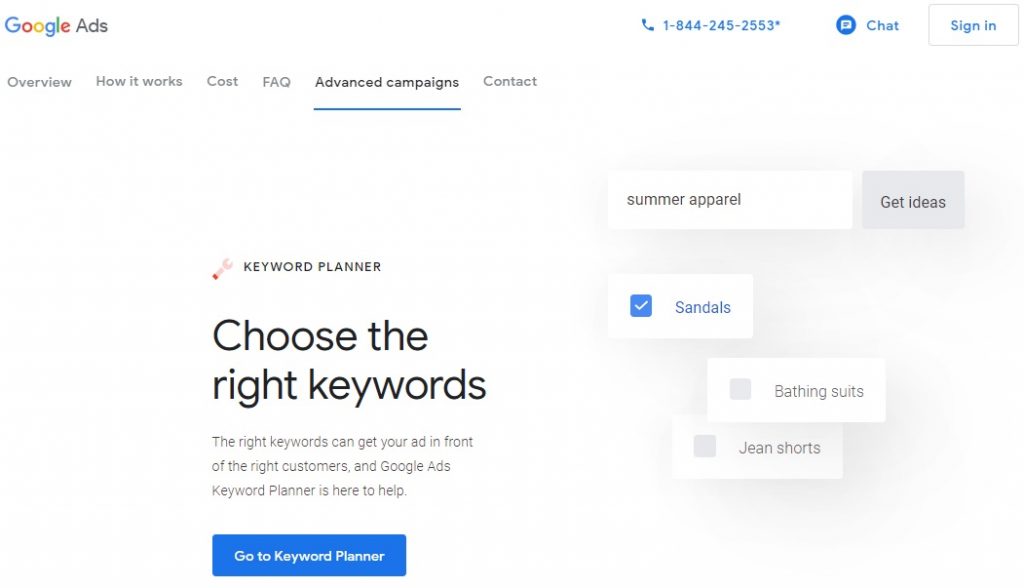
Google Keyword Planner is a free keyword research tool provided by Google, tailored for advertisers but also incredibly useful for SEO research.
It's the go-to starting point for discovering new keywords and understanding the landscape of Google Ads bidding, offering insights that can inform both paid and organic search strategies.
Google Keyword Planner Features:
- Keyword Discovery: Uncover new and related keywords that your audience is searching for on Google, providing a foundation for your keyword strategy.
- Site-Based Keyword Ideas: Input a website URL to extract relevant keywords or use a seed keyword to spark related suggestions.
- Search Volume Insights: Although it presents average monthly searches in ranges (e.g., 1k-10k), active Google Ads campaigners gain access to precise search volume data.
- Complementary Tool for SEO: While primarily designed for Google Ads, Keyword Planner's insights serve as a valuable preliminary step in SEO research, guiding further analysis with more detailed tools like SE Ranking, Semrush, or Ahrefs.
Why Google Keyword Planner?
Google Keyword Planner is a foundational tool for those at the outset of their keyword research journey, offering a glimpse into the demand and competition for keywords directly within Google’s ecosystem.
Its straightforward functionality and integration with Google Ads make it a practical first step in developing a keyword strategy.
Starting with Google Keyword Planner:
Google Keyword Planner is free, making it accessible to anyone with a Google Ads account. Whether you’re laying the groundwork for a new SEO campaign or seeking keywords for your next ad group, Keyword Planner offers the essential data to kickstart your research.
Dive into keyword research for free with Google Keyword Planner and lay a solid foundation for your SEO and PPC efforts with insights directly from Google.
2. Google Search Console
Google Search Console (GSC), formerly known as Google Webmaster Tools, is a critical, free tool provided by Google for website owners to monitor and optimize their site’s presence in Google search results. It’s essential for understanding how Google views your site and optimizing for better performance in search rankings.
Google Search Console Features:
- Search Performance Analysis: View your site’s keyword positions as detected by Google, including data on clicks and impressions, to understand your visibility on the search engine.
- Indexing Status: Ensure all your web pages are correctly indexed by Google, identifying any issues that could prevent them from ranking.
- Keyword and Page Analysis: Discover which keywords each page is ranking for and observe their performance trends over time, helping you refine your SEO strategy.
- Link Insights: Review your site’s internal linking structure and the backlinks identified by Google, valuable for both SEO and site architecture.
- Site Usability Reports: Identify mobile usability issues, page loading speed, and other performance factors that can affect your site’s user experience and search ranking.
Why Google Search Console?
Google Search Console is indispensable for anyone serious about SEO.
It offers direct insights from Google regarding how your site performs in search results, highlighting areas for improvement and success. For on-site optimization and troubleshooting, there's no better tool available for free.
Getting Started with Google Search Console:
Google Search Console is available at no cost, making it an essential tool for website owners, webmasters, and SEO professionals. It helps in making informed decisions to improve your site’s search performance and overall health.
Leverage the power of Google Search Console to enhance your website’s SEO strategy and ensure your site’s optimal performance in Google Search.
3. Google Trends
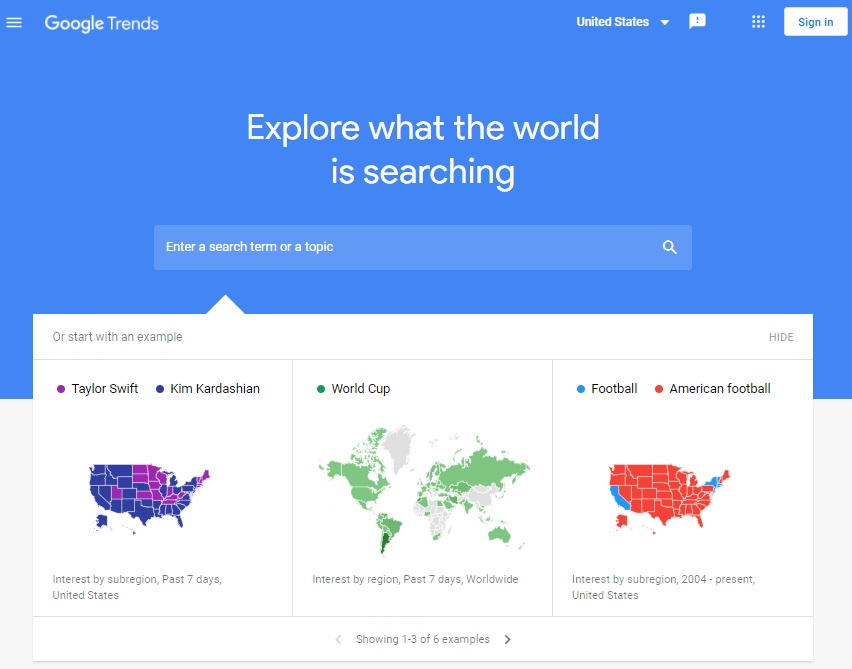
Google Trends is a free keyword tool provided by Google that offers a window into the popularity and interest of keywords across various regions and platforms.
It's essential for marketers, content creators, and SEO professionals who want to tap into current trends and optimize their content strategy accordingly.
Google Trends Features:
- Search Interest Insight: Gauge the demand and interest for keywords in different locations, helping you tailor your content to specific audiences.
- Broad Platform Analysis: Analyze keyword trends across Google Search, Image Search, News Search, YouTube, and Google Shopping to get a comprehensive view of user interest.
- Trend Comparisons: Compare the interest over time for multiple search queries, visualized in an easy-to-understand chart that highlights usage trends.
- Seasonal Demand Visualization: Utilize Google Trends to identify and understand the seasonal peaks in keyword phrases, perfect for planning timely content.
- Emerging Topics: Spot popular topics and queries gaining traction, providing you with fresh ideas for content that resonates with current search behaviors.
Why Google Trends?
Google Trends stands out for its ability to provide real-time insights into what people are searching for, not just on Google Search but across its various platforms.
This makes it an essential free tool for anticipating market trends, understanding audience interests, and creating content that captures the moment's zeitgeist.
Getting Started with Google Trends:
Accessible to anyone and free to use, Google Trends is a tool that should be in every digital marketer’s toolkit.
Whether you’re researching for an upcoming campaign, seeking inspiration for content, or simply staying ahead of market trends, Google Trends offers the data you need to make informed decisions.
Dive into search trends with Google Trends and align your strategies with the latest in user search behavior.
Best Affordable Keyword Research Tool
4. SE Ranking

SE Ranking shines as a budget-friendly, all-in-one SEO tool catering to needs across the spectrum, from small businesses to large enterprises.
This platform delivers an array of tools for both local and broader SEO tasks without overstretching your budget.
Key Features of SE Ranking:
- Monthly Search Volume and Trends: Understand the monthly search volume for keywords and track their popularity over the last year.
- Competitor Keyword Analysis: Discover what keywords your competitors are ranking for, along with their most successful pages. For a deeper walkthrough, see our SE Ranking competitor analysis tool guide.
- Comprehensive Competitor Tools: Access both SEO and Google Ads data to analyze your competitors thoroughly.
- Keyword Rank Tracking: Monitor your rankings across multiple platforms including Google, YouTube, Bing, and Yahoo.
- Custom Reports: Generate tailored reports combining keyword research, ranking positions, and other essential metrics.
Why SE Ranking?
SE Ranking is recognized for delivering exceptional value, combining a wide range of SEO tools including effective keyword research functionalities and ongoing updates.
Although its database may not be as vast as those of more expensive competitors like Semrush and Ahrefs, SE Ranking is rapidly closing the gap by continuously enhancing its keyword data and feature offerings.
Pricing That Fits Your Budget
SE Ranking’s Core plan starts at $129/month (about $103.20/month billed annually) with 2,000 keywords tracked daily and up to 10 projects. Growth is $279/month (about $223.20/month annually) with 5,000 keywords/day and 30 projects. Keyword, competitor, and backlink research stay unlimited on both plans – see our SE Ranking pricing guide for the full breakdown.
This pricing structure is designed to accommodate the budgetary constraints of various users while providing a robust set of features.
Getting Started
To experience the platform firsthand, SE Ranking offers a 14-day free trial with starter limits (not full paid capacity) – details in our SE Ranking free trial guide.
Try SE Ranking Free – Dive into SE Ranking’s rich features and see how it can enhance your SEO strategy without breaking the bank.
Best AI Keyword Research Tool
5. Surfer SEO

Surfer stands out as a cutting-edge tool that leverages on-page SEO strategies with a focus on keyword research and suggestions aimed at elevating your Google rankings.
By employing natural language processing (NLP) algorithms, Surfer provides content and keyword recommendations tailored to your target keyword.
It analyzes over 500 factors and the strategies of top-ranking competitors in Google SERPs to offer precise guidance.
Key Features of Surfer SEO:
- Content Planner Tool: Identify relevant topic clusters and keywords for targeting.
- Keyword Research: Investigate keywords, including their monthly search volumes on Google.
- Competitive Analysis: Reverse-engineer Google’s SERP to receive optimization tips for your target keyword.
- Content Suggestions: Easily access a wealth of pertinent terms to enrich your content.
- Free Keyword Data: Utilize Surfer’s free Chrome extension, Keyword Surfer, for instant keyword insights.
Why Surfer?
Surfer is unparalleled for obtaining fresh insights directly influenced by competitor analysis combined with a solid SEO keyword research tool.
It ensures your content is equipped with the most relevant topics, words, and phrases, thereby enhancing your search engine rankings based on the keywords you target.
Pricing and Accessibility
Surfer offers a variety of plans to suit different SEO needs and budgets, starting with the Standard plan at $129/month (or $99/month billed annually).
This plan not only enables detailed keyword research but also supports the writing and optimization of up to 30 articles per month using the Content Editor.
Getting Started with Surfer
Unlock the full potential of your SEO strategy and content quality with Surfer’s cutting-edge tools. Begin your journey towards achieving peak SEO performance by taking advantage of the free trial today.
Explore Surfer’s Plans – Take your SEO strategy to the next level with Surfer’s advanced keyword research and content optimization tools.
Best Advanced Keyword Research Tool
6. Semrush
Semrush stands out as a multifaceted platform designed to streamline web presence management, encompassing SEO, content marketing, PPC, and social media activities.
It's renowned for its extensive suite of digital marketing tools, aimed at enhancing your online visibility and engagement.
Semrush Keyword Research Features:
- Keyword Difficulty and Metrics: Access detailed difficulty scores, search volumes, and cost-per-click (CPC) estimates for strategic planning.
- Expansive Keyword Discovery: Identify a wide range of targetable keywords, including valuable long-tail options.
- Competitive Intelligence: Gain insights into competitors' rankings and their most trafficked pages.
- Content and Trend Analysis: Leverage trending topics and keywords using the content marketing platform to inform your strategy.
- Daily Rank Tracking: Keep a close watch on your Google keyword positions with a daily tracker.
Why Choose Semrush?
With one of the most extensive Google keyword databases available, Semrush's Keyword Magic Tool sets the standard for in-depth keyword research.
This platform leads the digital marketing toolkit arena, offering unparalleled data for SEO, PPC via Google Ads, content marketing, and social media management, making it an indispensable resource for marketers aiming for comprehensive online success.
Pricing and Plans
Starting at about $139.95/month for the SEO plan (or ~$117.33/month billed annually), with Semrush One from $199/month (Starter), Semrush offers plans that accommodate up to 5 projects and tracking for 500 keywords, catering to a range of marketing needs and scales.
Its structured pricing ensures you find a plan that fits your project's scope and budget without compromising on tool access and capabilities.
Getting Started with Semrush
Dive into Semrush with a 7-day free trial to experience its broad capabilities firsthand.
Whether you’re looking to refine your SEO strategy, enhance your content marketing, optimize PPC campaigns, or engage your social media audience more effectively, Semrush provides the tools and insights necessary to achieve your goals.
Try Semrush Free – Elevate your digital marketing strategy with Semrush's advanced tools and analytics.
Best Extensive Keyword Research Tool
7. Ahrefs

Ahrefs is celebrated within the SEO community for its powerful domain analysis, backlink discovery capabilities, site audits, and comprehensive keyword research functionalities.
It's the tool of choice for SEO professionals focused on building a strong backlink profile and conducting in-depth keyword analysis.
Ahrefs Keyword Research Features:
- Multi-Search Engine Data: Access keyword metrics for 10 different search engines, including Google, YouTube, Bing, and Amazon.
- Keyword Insights: View clicks, search volume, and cost-per-click (CPC) estimates for a thorough understanding of keyword potential.
- SERP Analysis: Explore SERP overviews, track keyword position history, and organize keyword lists for efficient planning.
- Competitive Intelligence: Identify competitors' keyword strategies and estimate their sites' organic traffic.
- Content Exploration: Use the Content Explorer to find high-performing content within your niche for inspiration and strategy alignment.
- Rank Tracking: Monitor your site's keyword rankings with a reliable tool, with options available for daily updates.
Why Ahrefs Stands Out
Despite its lack of on-page SEO tools, Ahrefs’ Keyword Explorer is top-tier, offering not only insights for Google but also for a variety of other search engines.
Its strength in backlink analysis combined with a versatile keyword tool makes Ahrefs indispensable for SEO professionals aiming for a comprehensive understanding of the SEO landscape.
Pricing and Access
Ahrefs’ Lite plan begins at $129/month (or $99/month billed annually), supporting up to 5 projects with unverified ownership (ideal for analyzing competitor sites) and an unlimited number of verified sites.
This plan allows tracking of up to 750 keywords with weekly updates, with the option to upgrade to daily updates for an additional fee. This pricing structure ensures flexibility and scalability, catering to a wide range of SEO needs and strategies.
Starting with Ahrefs
Unlock the full potential of your SEO efforts with Ahrefs by taking advantage of its wide array of analytical tools.
Ahrefs offers a free account for conducting audits on a verified site. However, its paid plans open up a wealth of deeper insights and functionalities.
Explore the depth and breadth of SEO tools Ahrefs offers to elevate your digital marketing strategy to new heights.
Best User-Friendly Keyword Research Tool
8. Mangools
Mangools offers a straightforward and approachable suite of SEO tools that cater to both beginners and experienced marketers.
It is renowned for its simplicity, making keyword research, rank tracking, and competitor analysis accessible to everyone.
Mangools Keyword Research Features:
- KWFinder: An intuitive tool for uncovering low-competition keywords, making it easier to target niches effectively.
- Comprehensive Data: Provides search volume estimates, keyword difficulty scores, and historical data to inform your strategy.
- Competitor Insights: Analyze top-ranking sites and their authority metrics for any given term directly within KWFinder.
- Daily Rank Tracking: Monitor your Google keyword positions daily to gauge your SEO performance.
- Keyword Organization: Save your keyword findings in lists for efficient tracking and analysis, with the ability to import them directly to the rank tracker for ongoing monitoring.
Why Mangools?
Mangools is distinguished by its balance of simplicity and power, offering an attractive and efficient interface for conducting essential SEO tasks.
Its affordability and straightforward approach make it especially appealing for those seeking quick and effective keyword insights without the complexity often associated with more advanced tools.
Pricing and Plans
Mangools Basic plan starts at $61/month (or $37.70/month billed annually), which includes tracking for 1 domain, daily tracking of 100 keyword lookups, and 200 keyword suggestions per search. Higher-tier plans expand these limits to accommodate more extensive SEO campaigns.
Additionally, Mangools provides a free account offering 5 lookups per 24 hours, with each lookup yielding 15 related keywords and 5 competitor keywords, ideal for those just starting out or needing occasional SEO support.
Getting Started with Mangools
Dive into SEO with Mangools user-friendly tools and start enhancing your online visibility with precision. Its blend of simplicity, effectiveness, and affordability makes it a go-to choice for SEO tasks.
Best Desktop Keyword Research Tool
9. SEO PowerSuite

SEO PowerSuite stands as a comprehensive collection of desktop tools designed for a holistic approach to search engine optimization.
With its robust capabilities in keyword research, rank tracking, site auditing, backlink analysis, and link management, it caters to a broad range of SEO tasks required by digital marketers and SEO professionals.
SEO PowerSuite Keyword Research Features:
- Comprehensive Keyword Discovery: Uncover new keywords along with their search volumes, difficulty levels, related terms, and commonly asked questions.
- Integration with External Data Sources: Enhance your research by integrating SEO PowerSuite with other keyword research and PPC data sources.
- TD-IDF Analysis: Utilize the TD-IDF algorithm to identify relevant terms used by top-ranking competitors, aiding in content optimization.
- Keyword Position Checker: This tool not only finds but also prioritizes keywords for targeting based on their potential impact.
- Extensive Rank Tracking: Track an unlimited number of keywords across global and local scales with the option for daily or weekly updates.
- Comprehensive Search Engine Monitoring: Keep tabs on your rankings across Google Search, Google Maps, and other significant search engines.
Why Choose SEO PowerSuite?
SEO PowerSuite is prized for its versatility, offering a wide array of customizable options and SEO automation features that streamline the optimization process.
As a desktop suite, it provides the reliability and responsiveness that professionals need to manage large-scale SEO campaigns effectively.
Pricing and Availability:
SEO PowerSuite offers a free version that includes access to basic features, suitable for those new to SEO or with limited requirements.
For advanced users, the Professional plan costs $349/year ($29.10/month billed annually) and unlocks the suite’s full capabilities, including the ability to save projects, automate SEO tasks, and enjoy unlimited access to all features.
Getting Started with SEO PowerSuite:
Whether you’re looking to conduct in-depth keyword research, monitor rankings, or manage backlinks efficiently, SEO PowerSuite equips you with the tools necessary for comprehensive SEO management.
With options for both casual users and professionals, the suite of SEO software ensures that you have the resources to optimize your online presence effectively.
Best YouTube Keyword Research Tools
IYouTube has emerged as the second-largest search engine globally, making keyword optimization on the platform crucial for content creators aiming to maximize their visibility and engagement. Here’s a look at the top tools specifically designed to refine your YouTube keyword strategy:
10. VidIQ
VidIQ is a comprehensive suite of tools tailored to enhance your YouTube keyword research, empowering you to create content that resonates with what your audience is actively searching for.
This platform leverages the autocomplete feature of YouTube search, similar to how Google suggests search queries, to uncover popular phrases, trending topics, and answers to common questions.
Key Features of VidIQ:
- Keyword Research: Access billions of YouTube search queries daily, using data to focus and optimize your videos for greater visibility.
- Search Insights: The tool offers valuable information on keyword universes, including average views, subscriber counts, and a Keyword Score that balances demand with supply.
- Keyword Inspector: Dive into the keyword universe surrounding a root keyword, displaying related terms, scores, related videos, and trend analyses to spot tentpole events.
- Inline Keywords and Translation: See competitors' tags in search results, use them for content inspiration, or translate your video metadata to cater to a global audience.
- Auto-Complete and Templates: Benefit from auto-complete suggestions for video tags and create keyword templates for video series, saving time in your content creation process.
VidIQ not only provides the tools to discover what people are searching for but also equips you with insights to position your videos in front of a larger audience efficiently.
11. Keyword Analytics for YouTube
Available through Semrush’s App Center, Keyword Analytics for YouTube is an add-on tool that delivers precise keyword insights to uncover user trends directly on YouTube.
This tool is ideal for optimizing your videos to reach more viewers by tapping into the search queries they use.
Key Features:
- Popular and Growing Keywords: Find the most searched keywords on YouTube, along with insights into the fastest-growing searches.
- Keyword Performance: Analyze specific keyword metrics to gain new keyword ideas and understand search performance and rates by country.
- Top Videos and Trends: Access lists of top videos for each keyword, identifying commonly searched phrases and other relevant trends.
- Filter by Country and Timeframe: Tailor your keyword research by country and filter data for daily, weekly, or monthly insights.
Pricing: After a free 7-day trial, the service is available at $10/month, offering access to a comprehensive list of keywords, top video lists, and powerful analytics in 17 countries and 11 languages.
Keyword Analytics for YouTube present unique capabilities for content creators on YouTube, from finding low-competition, high-value search terms to leveraging global keyword trends.
Utilizing these YouTube keyword research tools can significantly enhance your video SEO, helping your content to not only rank higher on YouTube but also potentially on Google, broadening your reach across multiple search engines.
Using AI for Keyword Research
Artificial Intelligence (AI) is revolutionizing keyword research by providing detailed insights and automating time-consuming tasks.
AI-driven tools and technologies like chatbots, including OpenAI's ChatGPT and Google's Gemini (previously Bard), play a pivotal role in identifying related keywords and topics, enhancing content relevance and strategy.
Advantages of AI in Keyword Research:
- Sophisticated Data Interpretation: AI processes complex datasets to reveal keywords and patterns, offering a competitive edge in content planning.
- Predictive Analytics: These tools predict search trends, enabling proactive content strategy adjustments.
- Enhanced Competitor Insights: Quickly evaluate competitors' keyword strategies to refine your approach and discover untapped opportunities.
- Efficiency: AI significantly reduces the time spent on keyword discovery, streamlining research processes.
Incorporating AI into Your Strategy:
Integrating AI-powered tools like chatbots and AI writing tools into your SEO strategy can expand your keyword research beyond traditional methods.
While these AI solutions are excellent for generating ideas and uncovering related terms, it's crucial to remember that they don't replace keyword research tools.
AI chatbots aren't designed to provide the latest search volume or competition data, so pairing them with dedicated keyword research tools is advisable for the most accurate and actionable insights.
As AI technology continues to evolve, its integration into SEO practices offers a promising avenue for marketers seeking to optimize their online content strategy effectively.
Competitor Keyword Gaps vs AI Idea Generators
Chatbots are useful for brainstorming related topics, but they do not replace search-volume, difficulty, or SERP data. Pair AI idea generation with a dedicated keyword tool, then validate gaps against live competitors – the same workflow covered in our competitive gap analysis guide.
Keyword research software buying filter
Reviewed September 21, 2026. Before you compare databases, decide what decision the tool must support:
- New site / new topic: need clean volume, difficulty, and SERP-feature context to pick a realistic target.
- Content refresh: need rank + URL-level gaps versus competitors already winning the query set.
- Paid + organic planning: need CPC or commercial intent signals, not only search volume.
- Local or multi-market: need geo-specific databases; a US-only tool will mislead international sites.
- Team workflow: lists, tags, and export matter more than raw keyword counts you never use.
Skip tools that dump 50k keywords without intent labels. Pair research output with a brief or on-page checker from our on-page SEO checkers list once you pick targets.
Free vs paid keyword research tools: when to upgrade
Free keyword tools are enough to learn the craft. You outgrow them when exports, competitor gaps, and team sharing become the bottleneck.
- Stay free when you research a handful of pages a month and can tolerate rate limits.
- Upgrade when you need bulk exports, historical trends, content gap views, or shared projects for a team.
- Watch caps on suite plans: research may be “unlimited” while tracked keywords and AI prompts are not. Confirm live plan cards before you promise a client volume.
- Trial first: SE Ranking offers a 14-day trial with starter limits (not full paid capacity). Use it to test exports and gap reports on a real project.
Small teams that also need tracking and audits often shortlist a suite; specialists who only buy research may prefer a dedicated explorer. Either way, judge the first useful export, not the marketing feature grid.
A keyword research workflow that beats volume-only lists
Search volume is a starting hint, not a strategy. The tools that help most make the next decision obvious: which URL owns the intent, what the SERP rewards, and where competitors leave gaps.
- Seed with jobs, not synonyms: start from problems your buyers already ask about, then expand with the tool’s suggestions.
- Cluster by intent: group informational, commercial, and transactional terms so one page does not chase three SERP types.
- Open the SERP: check featured snippets, People Also Ask, local packs, and AI-style answer patterns before you outline.
- Score difficulty honestly: difficulty metrics vary by vendor; pressure-test with referring domains on the current top results.
- Export a queue: ship a list your writers can use this week, with primary URL, secondary terms, and a one-line angle.
When two tools disagree on volume, trust the one whose SERP preview matches what you see in an incognito search for your market. Process detail lives in the techniques guide; this page stays on choosing software that supports that workflow.
Keyword research software vs rank tracking tools
Buyers often mix these jobs. Keep them separate so you do not buy the wrong seat.
- Keyword research software (this page): find and prioritize topics before you write or expand pages.
- Rank tracking software: measure positions after the page is live. Compare best rank tracking software.
- Suites that do both: fine when caps and workflows are clear; still judge research depth and tracker accuracy on their own merits.
If your bottleneck is “what should we publish next,” stay here. If your bottleneck is “did last month’s updates move,” leave for a tracker.
Final Thoughts on Best Keyword Research Tools
Each tool we’ve discussed offers unique strengths, from uncovering emerging trends with Google Trends to deep competitive analysis with Semrush. If your next step is turning keyword lists into opportunity gaps, use our competitive gap analysis with SE Ranking walkthrough – or browse Semrush competitors and alternatives when you are comparing full platforms.
We encourage you to explore these top keyword research tools to not only enhance your research process but also to gather comprehensive keyword insights efficiently.
Experiment with them to discover which ones align best with your SEO goals, streamlining your efforts and maximizing your time investment.
Embarking on this exploration will not only refine your SEO strategy but also equip you with the insights to captivate your intended audience effectively.